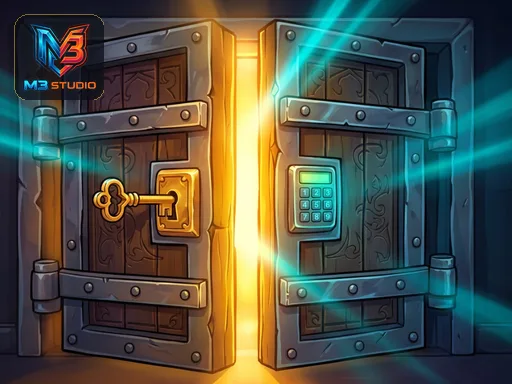
Click to play
x
Controls
bull Desktop Use the Left Mouse Button Click to interact with objects pick up items tap keypad codes and open doors bull Mobile Tablet Tap and touch the screen to inspect objects drag items into place and enter unlock codes
100 Doors: Mystery Room Escape

100 Doors: Mystery Room Escape

100 Doors: Mystery Room Escape
Click to play
This game is not available on mobile.
rotate phone

100 Doors: Mystery Room Escape

Instructions

bull Desktop Use the Left Mouse Button Click to interact with objects pick up items tap keypad codes and open doors bull Mobile Tablet Tap and touch the screen to inspect objects drag items into place and enter unlock codes

Description

Cracking the Code in 100 Doors: Mystery Room Escape

Locked behind heavy doors and cryptic symbols, you face a series of intense mental trials. Every single room hides a new secret. You must find hidden keys, decode complex patterns, and manipulate mechanical gears to find your way out. This isn't a simple walk through a hallway. Each level demands your full attention and sharpens your Brain. If you love a good Puzzle, you will find plenty of obstacles here. Success means finding every clue before the clock runs out. Escape every room or remain trapped forever.

Mastering the Controls of 100 Doors: Mystery Room Escape

Controls are straightforward so you can focus entirely on the mystery. Use these methods to navigate the environment and find your Escape route:

  • Desktop Use the Left Mouse Button Click to interact with objects pick up items tap keypad codes and open doors
  • Mobile Tablet Tap and touch the screen to inspect objects drag items into place and enter unlock codes
100 Doors: Mystery Room Escape Gameplay

Winning Strategies for 100 Doors: Mystery Room Escape by zistop

Speed doesn't matter as much as observation. Slow down and inspect every corner of the Room. Look for subtle scratches on the floor or strange markings on the walls. These small details often hide the key to your Rescue. Keep an inventory of every item you find. Combining two objects might reveal a solution that neither could solve alone. If you get stuck, backtrack to previous areas to see if a new item changes how an old object works. The zistop library offers many challenges, but this specific title requires you to think outside the box to progress through all 100 levels. Use the auto-save feature to pick up exactly where you left off during a difficult level.

Stop staring at the locked door and start searching for the solution. Play 100 Doors: Mystery Room Escape now and see if you have the logic required to win.

Customise Consent Preferences Close

We use cookies to help you navigate efficiently and perform certain functions. You will find detailed information about all cookies under each consent category below.

The cookies that are categorised as "Necessary" are stored on your browser as they are essential for enabling the basic functionalities of the site.

Always Active

Necessary cookies are required to enable the basic features of this site, such as providing secure log-in or adjusting your consent preferences. These cookies do not store any personally identifiable data.

Functional cookies help perform certain functionalities like sharing the content of the website on social media platforms, collecting feedback, and other third-party features.

Analytical cookies are used to understand how visitors interact with the website. These cookies help provide information on metrics such as the number of visitors, bounce rate, traffic source, etc.

Advertisement cookies are used to provide visitors with customised advertisements based on the pages you visited previously and to analyse the effectiveness of the ad campaigns.

We also use third-party cookies that help us analyse how you use this website, store your preferences, and provide the content and advertisements that are relevant to you. These cookies will only be stored in your browser with your prior consent.

You can choose to enable or disable some or all of these cookies but disabling some of them may affect your browsing experience.