
Pool 3D


Pool 3D
Instructions
Description
Pool 3D – Fast‑Fire Cue Action
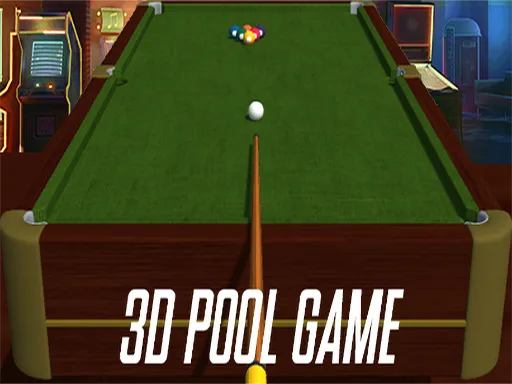
Pool 3D puts the classic 8 Ball Pool experience into a sleek 3D Games engine. You step behind the cue, line up a shot, and watch the balls roll across a polished table rendered in Unity3D. Every pocketed ball adds to a growing score, and the game never penalizes a missed cue ball. The fast‑paced matches keep the adrenaline high, while the crisp graphics showcase what WebGL can deliver in a browser. Whether you’re a seasoned pro or a casual Boy who just discovered the sport, the challenge is simple: pocket ten balls, chain combos, and dominate the leaderboard. This is the kind of Pool that feels real, but fits on a phone or laptop.
Mechanics
Control the cue with precision. Aim using the mouse, adjust power with a click‑drag, and fire with a single press. Keyboard shortcuts let you switch tables, reset the rack, or toggle the cue stick view. The interface is clean, so you spend more time playing and less time hunting menus.
- Use Mouse To Play
- Keyboard
Strategy
Winning Pool 3D isn’t just about raw power. Start each rack by targeting the easiest ball, then plan a route that maximizes pocket combos. Keep the cue ball centered to avoid costly scratches, and use spin sparingly to break clusters. As you climb the ranks, the AI opponents tighten their defense, forcing you to think two moves ahead. Master the break shot early; a strong opening can scatter the balls and create high‑value runs. Pay attention to table friction settings – they change subtly between matches, affecting ball roll speed. Experiment with different cue sticks to find the perfect balance of weight and control. The more you practice, the better your instinct for angles becomes, turning casual play into a competitive sport experience.
Ready to claim the title of the ultimate cue master? Jump straight into the action on Pool 3D, or explore more titles from the zistop studio. Install, fire up, and start racking up points today.
